

Let’s face it. A sluggish, unreliable Wi-Fi signal can ruin your day. We’ve all been there, battling frustration when the connection drops right in the middle of a movie or an important work call.
I know the struggle well.
But here’s the thing: you don’t have to live with poor Wi-Fi. This article will change how you think about your home network. I’m here to share actionable strategies that genuinely boost wifi strength and boost your overall connectivity.
I’ve spent countless hours exploring the ins and outs of home networking. I know what works and what doesn’t.
You can trust that these well-researched tips come from real-world experience, not just theory.
By the end, you’ll have the power to transform your Wi-Fi experience into something smooth and enjoyable. Let’s dive in and make every online moment a delight.
Unmasking the Wi-Fi Puzzle: Quick Fixes
Ever wondered why your Wi-Fi stutters like an old radio? Let’s untangle this mystery. Physical distance can be a real villain here.
Move too far from your router, and boom (your) signal drops like a bad habit. Walls and floors? They’re like bouncers outside a club, keeping your Wi-Fi at bay.
Ever heard of digital “traffic jams”? They’re real. Interference from other devices can make your Wi-Fi slow as molasses.
But wait, outdated hardware is another sneaky factor. Your relic of a router might be limiting speed and range, turning your home into a dead zone.
The key is to boost Wi-Fi strength and improve quality. Start by understanding these issues. It’s like unlocking a whole new level in a game.
Here’s the kicker: strong signal doesn’t always mean clean signal. Sure, the bars are full, but is it crystal clear? Not necessarily.
Oh, and if you’re curious about more tech improvements, take a peek at Improving Smartphone Battery Life. Happy surfing!
The Art of Placement: Finding Your Router’s Sweet Spot
Ever feel like your Wi-Fi is playing hide and seek? Finding the perfect spot for your router is like finding the “heart” of your home’s digital life. A well-placed router can boost wifi strength and make a world of difference.
Centrally locating your router is key. It’s like putting the sun right in the middle of your solar system. Raise it off the floor and keep it away from walls.
You want those signals flying freely. Think of your Wi-Fi signal as a sphere, expanding and contracting. Obstructions mess with this sphere, so minimize them.
Keep your router away from large metal objects, aquariums, and enclosed cabinets. These are signal killers.
Experiment a little. Move it here, move it there. Have fun with it!
You’ll know when you find that sweet spot. Your devices will thank you. You can even make it a game.
Like treasure hunting for the best connection.
For more detailed tips and tricks, you might want to check out this overview. It’s packed with takeaways to improve your setup. Why not give it a try?
Your streaming marathons deserve it.
Battling the Invisible: Wi-Fi’s Silent Saboteurs
Wi-Fi isn’t just about routers and passwords. It’s a battleground of invisible enemies. I’m talking about electronic devices and nearby networks sneaking up on your signal.
They create digital static that makes your Wi-Fi crawl at a snail’s pace. Who knew your microwave could be part of the problem?
Common culprits like microwaves, cordless phones, and Bluetooth devices are notorious for messing with your connection. Even fluorescent lights can play the villain. Ever wonder why your video call drops when you heat up leftovers?
That’s why.
Now, let’s talk about channel congestion. Too many Wi-Fi networks crammed into one area is like rush hour traffic. Luckily, you can dodge it.
Change your Wi-Fi channel. Try channels like 1, 6, or 11 for 2.4GHz. They’re less crowded, giving you a cleaner lane.
It’s simple and can boost wifi strength a lot.
And don’t forget the dual-band advantage. 2.4GHz offers range, while 5GHz gives speed. Use 2.4GHz for devices far from the router. For speed demons like gaming consoles, go 5GHz.
It’s a game-changer for your home network.
A clear, interference-free connection makes everything smoother. Streaming, gaming, or just browsing feels like a breeze. So why settle for less?
Get ahead of these invisible enemies and enjoy the joy of uninterrupted Wi-Fi.
Supercharging Your Setup: Hardware Upgrades for a Mighty Signal
Let’s get real. Are you tired of weak Wi-Fi? (I know I am.) The good news is that you can seriously boost wifi strength with a few savvy hardware upgrades.
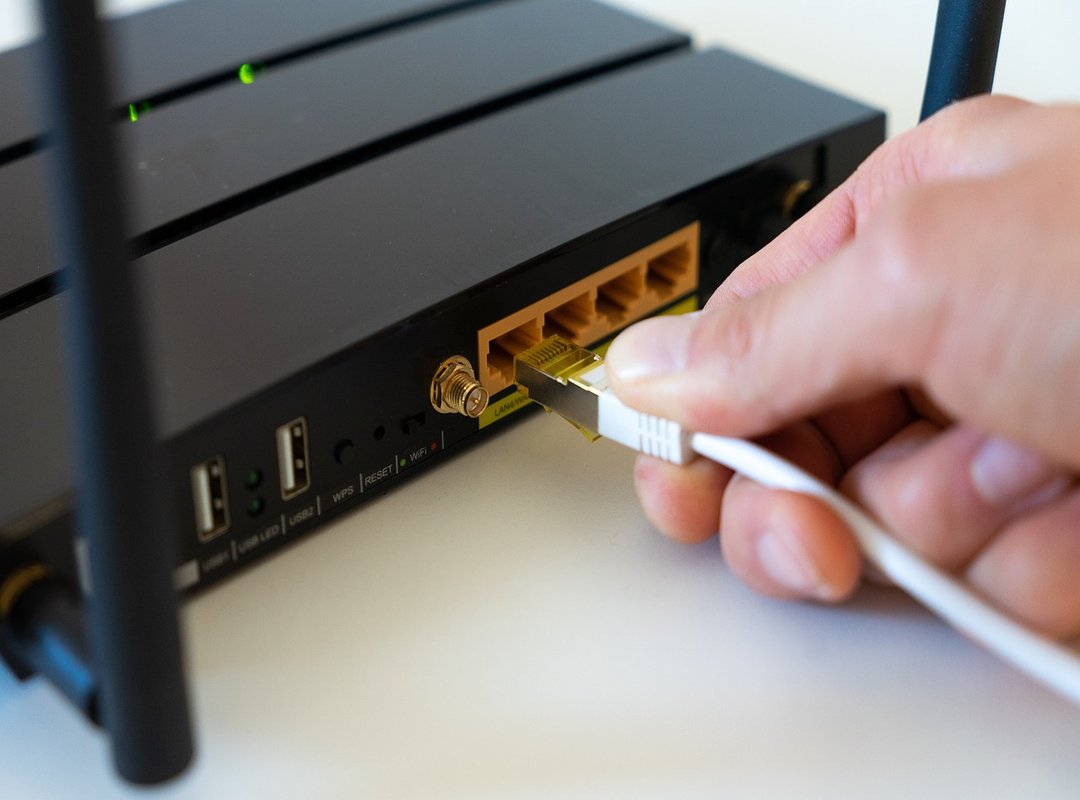
Wi-Fi extenders and repeaters are your first stop. They expand coverage, pushing that sweet, sweet signal into dead zones you’ve been cursing all this time. Trust me, they’re the unsung heroes of the home network world.
Now, if your home feels like a maze, consider mesh Wi-Fi systems as the ultimate solution. These systems connect seamlessly, like a well-choreographed dance, ensuring every room gets the same strong coverage. You won’t find yourself hunting for a signal in the attic or basement anymore.
But wait, there’s more! Powerline adapters extend wired internet through your electrical outlets. It sounds like magic, right?
But it’s perfect for a stable connection, especially for gaming or streaming. And if you’re ready to tweak your current setup, try upgrading your router antennas. They help direct the signal exactly where you need it.
Finally, let’s talk about future-proofing. Investing in a high-performance router, especially one supporting the latest Wi-Fi standards like Wi-Fi 6, gives you a rock-solid foundation. Next-gen routers aren’t just faster; they’re smarter.
For more tools to boost your tech life, check out this guide on important apps remote learning. It’s a game-changer.
Advanced Wizardry: Software Tweaks for Peak Performance
Ready to boost wifi strength? to the magic of software settings. First up, router firmware updates. They’re not just for show; they’re key for your security and performance.
Ignore them, and you’re asking for trouble.
What about Quality of Service (QoS)? If you crave smooth streaming or gaming, this is your ticket. Prioritize bandwidth for what you love.
No brainer, right? You control the flow of your digital world.
Now, let’s chat security protocols. Switching to WPA3 could bump your Wi-Fi’s performance. It’s like swapping out an old lock for a new one.
Who doesn’t want tighter security?
And don’t forget those sneaky connected devices. Why let them hog all your bandwidth? Identify and disconnect the ones you don’t use.
It’s a simple tweak, but the difference? Massive.
When you take control, you open up your Wi-Fi’s full potential. There’s real power in these settings. Why settle for mediocre when you can have the best?
Go on, explore the wizardry. Your network will thank you.
Celebrate Your Wi-Fi Victory
You did it. You now have the tools to conquer slow, unreliable internet. Frustration is a thing of the past.
With thoughtful placement, smart interference management, strategic hardware upgrades, and intelligent software tuning, you can boost wifi strength like never before.
Now it’s time to act. Apply these tips and watch your Wi-Fi transform.
Experiment with confidence and enjoy a world of smooth streaming, gaming, and browsing.
Don’t settle for less. Dive in and make your connected home a reality.
Your blazing-fast future awaits. What are you waiting for? Get started today!
 Bronten Emberlance is a Senior Tech Analyst & Editorial Strategist at Anwaytek.com, where he specializes in analyzing emerging technologies, evaluating innovative gadgets, and shaping high-impact editorial content. With a keen eye for detail and a deep understanding of modern tech ecosystems, he provides insightful perspectives on industry developments and future trends.